Changelog

New products, improvements and what's happening in Layero.

Launch

A temporary site without signing up

Drag and drop a folder, ZIP archive or HTML file and get a temporary website via a link without registration.

The link works for an hour. You can send it to colleagues or a client—you don’t need an account to view it either. To save the site, click “Keep this site” and register before the end of the hour.

  • For static sites and SPAs: HTML, CSS, JavaScript and projects using React, Vue, Vite or Astro in static mode.
  • Server and SSR applications require an account. If a project is not eligible for temporary publication, you will see an explanation.
Temporary site

No sign-up required. Your link lasts one hour.
Update

Fixes in MCP, payment and domain connection

Fixed several glitches in everyday use of the platform.

  • MCP no longer loses a session due to the next request hitting a different server.
  • After returning from payment, the panel updates the subscription. A late response no longer returns the previous status.
  • When connecting a domain, the platform itself distinguishes between the main domain and subdomain and selects DNS instructions.
  • Before ordering a database or changing its configuration, we show the current cost and ask for confirmation.
Incident

Layero has been restored

The incident that began on October 11 after a failure in Yandex Cloud has been closed. The control panel, builds, deployments and sites are working again.

The 14-day free period has been returned for new users. Previously issued extensions are retained.

Incident closure relates to service operation. The old Shared database data has not yet been restored; their safety and restoration period have not yet been confirmed.

Update

Account mail, traffic graph and Metrica settings

Simplified account management and made site indicators clearer.

  • In your profile, you can add email to your account or replace it with confirmation using a code.
  • In monitoring, a traffic graph by intervals has appeared next to the request graph.
  • Recording sessions in Yandex Metrica is enabled by a separate setting of the site owner; by default it is disabled.
  • When creating a database role, you can see its final name and how many characters remain.
Launch

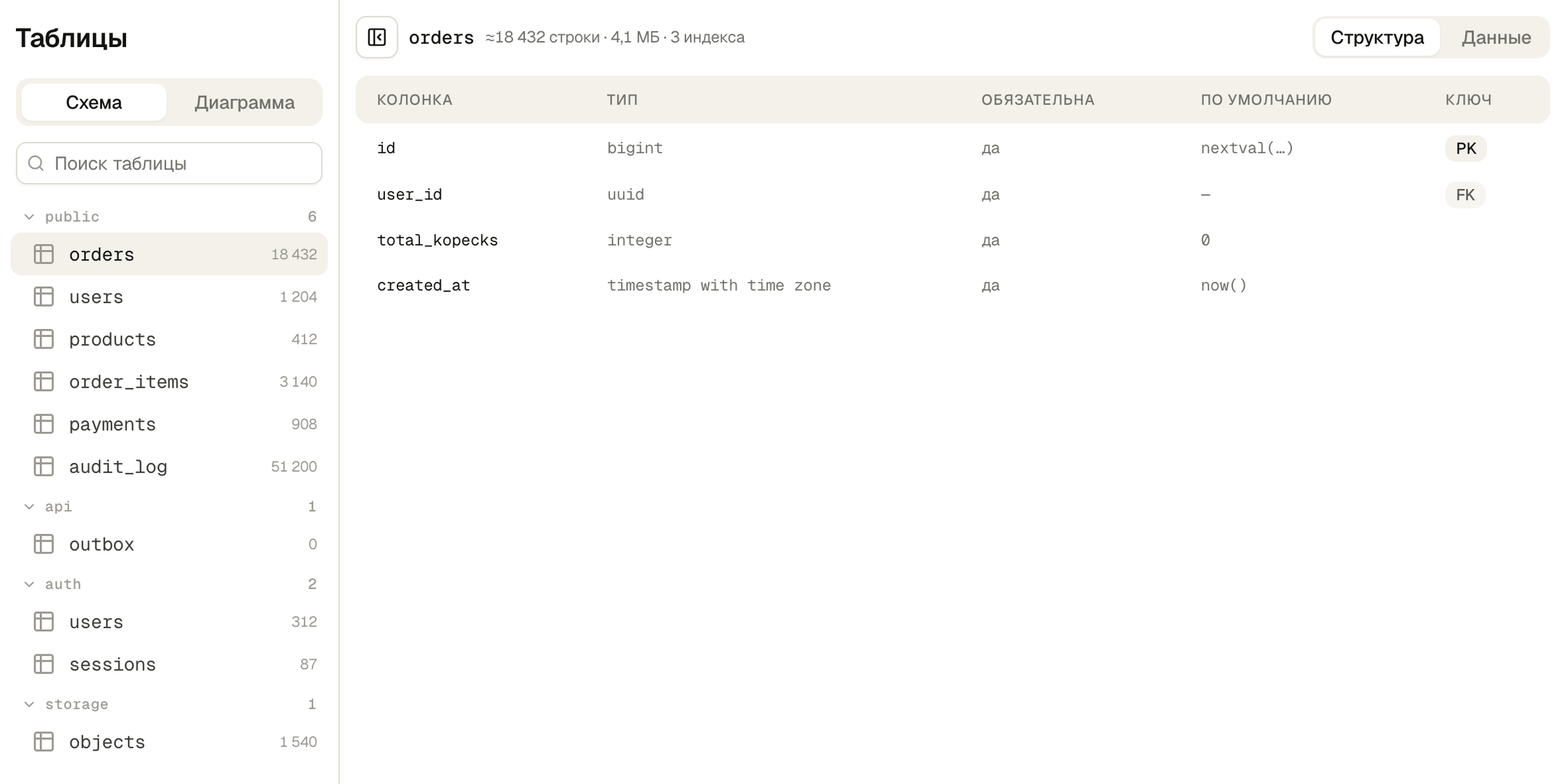
Databases are now in Layero

Create PostgreSQL databases and work with them in the same panel where you host websites and applications.

  • Tables and relationships, SQL editor with saved queries, functions and extensions, including pgvector.
  • Roles and access rights, connecting projects and direct connection from a familiar PostgreSQL client.
  • Load and connection monitoring, backup management.
  • Shared database or dedicated instance with configuration selection. The cost of paid resources is shown before ordering.
PostgreSQL tables in Layero panel
Update

Deployment plan and temporary sites from the CLI

The CLI has become more convenient for automation and verification of a project before publication.

  • deploy --dry-run shows the plan without publishing and warns about settings that may prevent it from running.
  • deploy --claim publishes a static site or SPA without an account for an hour. The site can be transferred to your account before the end of the term.
  • The commands received --json output and the event stream reports the queue and deployment stages.
  • Build Monitor is retrying requests after a momentary network outage. Loss of connection with the observer is no longer reported as a build error.
Update

Import repository and login via browser to MCP

The agent can connect to the Layero account and bring the repository import to the first build.

  • OAuth login opens when accessing account tools. You can search the documentation for answers without logging in.
  • The agent sees the connected sources, imports the repository and receives the state of the environments.
  • Through MCP you can change project settings and start rebuilding without a new push.
  • The session can be limited to one project or enabled in read-only mode.
Update

Building Next.js and managing previews

Improved definition of the build result and the work of several project environments.

  • Next.js mode is determined by the build result: static export and server run are no longer confused due to overrides in the config.
  • Building a single branch does not switch the type of the entire project.
  • When the limit of active previews is reached, the panel shows which environment has given way to a new one. A message about the suspension opens at his address.
  • The builder explains if the server only listens to localhost and is therefore not accessible from the outside.
Update

Build settings with explanations

The wizard shows what it found in the project and where the field values came from.

  • A certain framework has visible signs by which it was recognized. The found environment variables are shown in the wizard.
  • Parameters from layero.json are marked separately: they need to be changed in the file, not in the panel.
  • The installation command, start command and port can be set in the project settings.
  • After build, it is clear which framework and which settings were actually used.
Update

Multiple applications from one repository

Monorepositories and full-stack projects are easier to prepare for publication.

  • In a monorepository, you can select several found applications and create a separate project for each.
  • The frontend and backend have their own folders and settings. An application is also supported where both parts are described in one package.json.
  • A search and collapsible tree have appeared in the folder selection. Libraries are no longer offered as stand-alone applications.
  • Fixed launching TanStack Start and Remix, as well as defining Next.js without next.config.
Update

Git sources and project transfers

We expanded work with repositories and simplified the transfer of a project to another owner.

  • Import, branch and application folder selection work with external Git providers, not just GitHub.
  • One repository can be re-imported. Autodeploy from GitHub has been fixed: the push updates all related projects with autodeploy enabled.
  • Deploy hooks have appeared in the settings to launch the build from the outside.
  • The proposal to transfer the project is visible to the recipient on the dashboard, and the sender is able to see the result of acceptance or refusal.
Update

Entire deployment on one screen

Opened an updated deployment page for all users.

  • Stages, logs, configuration, site snapshot and response measurement are collected on one page and updated without reloading.
  • Resource consumption is shown for the selected deployment.
  • Deployment cancellation is displayed as a separate status, and waiting in the queue no longer looks like an endless loading of logs.
  • For a build error, show the cause and context: for example, a missing command or a result directory.
Update

Pro trial and annual subscription

Updated subscription design and management.

  • A 14-day Pro trial period, an annual subscription and promotional codes have appeared.
  • Before registration, the payment period and conditions for the first debit are visible.
  • Linking a card is separate from signing up for a subscription and does not itself debit money.
Update

Deployment and diagnostics from the terminal and AI editor

You can manage a published project without constantly going to the panel.

  • The CLI now includes diagnostics of unsuccessful deployments, viewing logs and managing domains, environment variables and Metrica.
  • A separate API token can be issued for CI. In a non-interactive launch, the CLI reports a missing token rather than waiting for the browser to login.
  • MCP received diagnostic, domain connection and analytics tools.
  • A Layero plugin has appeared for Claude Code with MCP connection and publishing instructions.
  • The Node.js version can be selected when creating a project and in its settings.
Update

Project address and main domain

Added more control over the site address and its presence in search.

  • The project address can be selected during creation and changed later. The occupancy of the name is checked in the form.
  • Among the connected domains, you can select the main one: the platform address redirects to it.
  • Site indexing is enabled by a separate setting on Pro.
  • You can send a screenshot directly from the widget to support.
Update

Logs of a running application and Metrica for SSR

The behavior of the application after publication can be monitored from the panel.

  • Logs of a running application are linked to the deployment, show the time of the lines and are updated in the background.
  • Metrica connects to the SSR site automatically—there is no need to manually insert the counter into the pages.
  • The memory graph shows the application's sleep periods and compares the values to its available memory.
Update

Login by mail and projects on Bun

Added password-less login and expanded application build options.

  • You can enter Layero using the code or link from the letter. Registration begins in the same scenario.
  • Bun can be selected as a package manager; it is supported in server and full-stack application builds.
  • Elysia is defined as a server-side framework.
  • Build logs are grouped by stage to make the required part easier to find.
Update

Site performance reports

A list of audits and a detailed report for each measurement appeared in the panel.

  • You can view Lighthouse and SiteSpeed results, download metrics, and recommendations.
  • The report is available for mobile and desktop verification profiles.
Update

Find projects and inspect builds faster

Updated the navigation and working screens of the panel.

  • A dark theme and a palette of commands have appeared for navigating to projects and actions.
  • In the build logs there is a search with transition between matches and copying.
  • The list of deployments has received filters. When you switch projects, the current section is saved.
  • An existing project can be linked to a repository and a branch that updates the main site can be selected.
Update

Frontend and backend in one project

Added publication of full-stack applications with a general address.

  • The static frontend and the backend operate under the same domain.
  • In the wizard, you can select the frontend and backend folders and configure each part.
  • Servers based on Node.js and Python are supported, including Express, Flask and FastAPI.
Update

Publishing files from the browser

The site can be loaded into your project directly in the panel, without Git or a terminal.

  • Drag the folder or files, check the settings and start publishing.
  • Once ready, a button to open the site appears.
  • For a manual upload project, you can update files from the dashboard.
Update

Git deployment, CLI and publishing settings

First platform updates: from connecting the repository to setting up the published site.

Projects and repositories

  • Connecting GitHub repositories from personal and team accounts, switching organizations and rolling back to the previous deployment.
  • Import environment variables from .env and select the application folder in the monorepository.

Publication

  • The CLI defines the framework, helps prepare the project, and supports code entry via the browser.
  • The finished build can be sent with --prebuilt, and the application folder can be specified via --root.
  • The _redirects and _headers files define redirects and HTTP headers. A deployment hook allows you to launch a build using an external request.