Data API
βDatabases now offer three services: Data API over HTTP, user authentication and file storage. Build database-backed applications without a backend.
Data API — tables and functions over HTTP
Database tables and functions over HTTP. Read and update rows, filter results and call functions. The dashboard shows who can access each method.
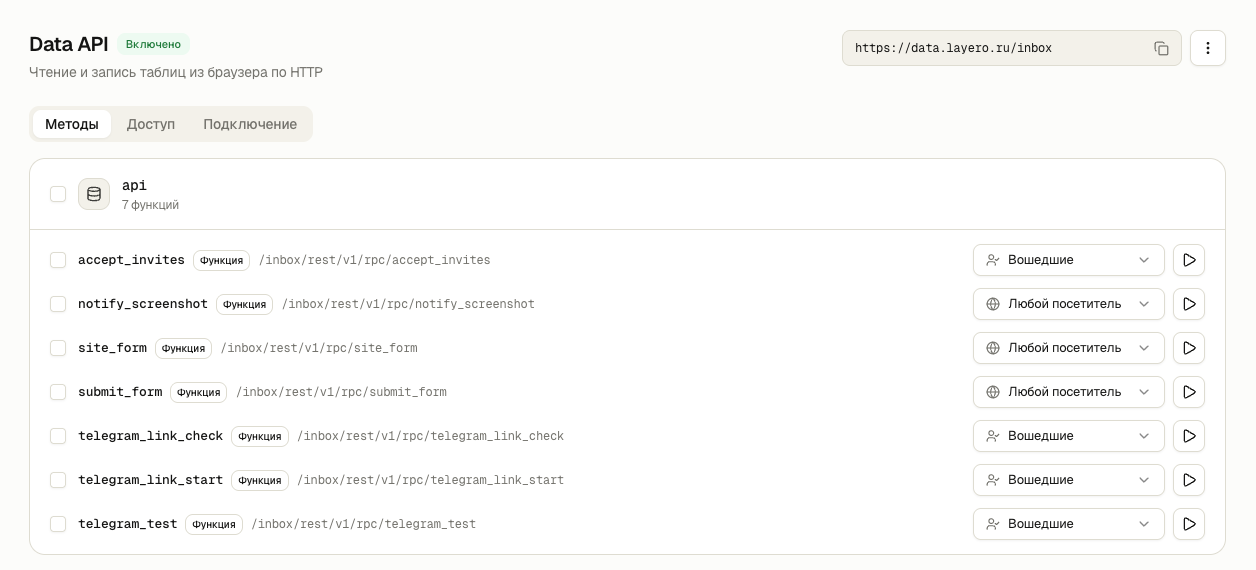
You decide who can access data
Data stays private after you enable Data API. You choose who can read and update records or call database functions.
You can migrate from Supabase
supabase-js and migrations using the anon, authenticated and service_role roles work as in Supabase. Sites in projects connected to the database automatically receive the key and URL at build time.
The project connects itself
Connect a project to a database and Layero will inject the API URL and public key into the build.
HTTP requests from SQL
Send notifications through net.http_post after changes commit. Service tokens are stored in database secrets.
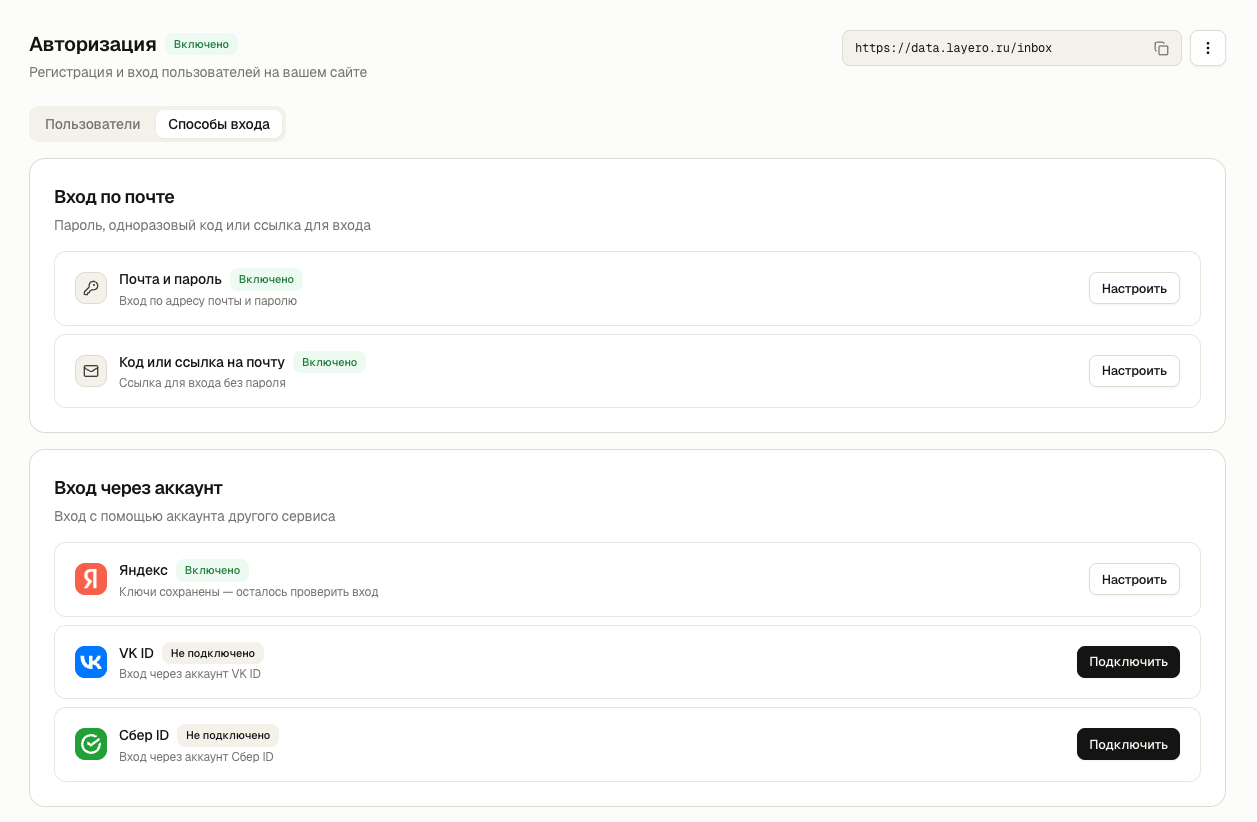
Authentication — registration and sign-in for your website
Sign in with email and password, a code or an email link. Connect Yandex ID, VK ID or Sber ID. Manage users, sign-in methods and emails in one section.
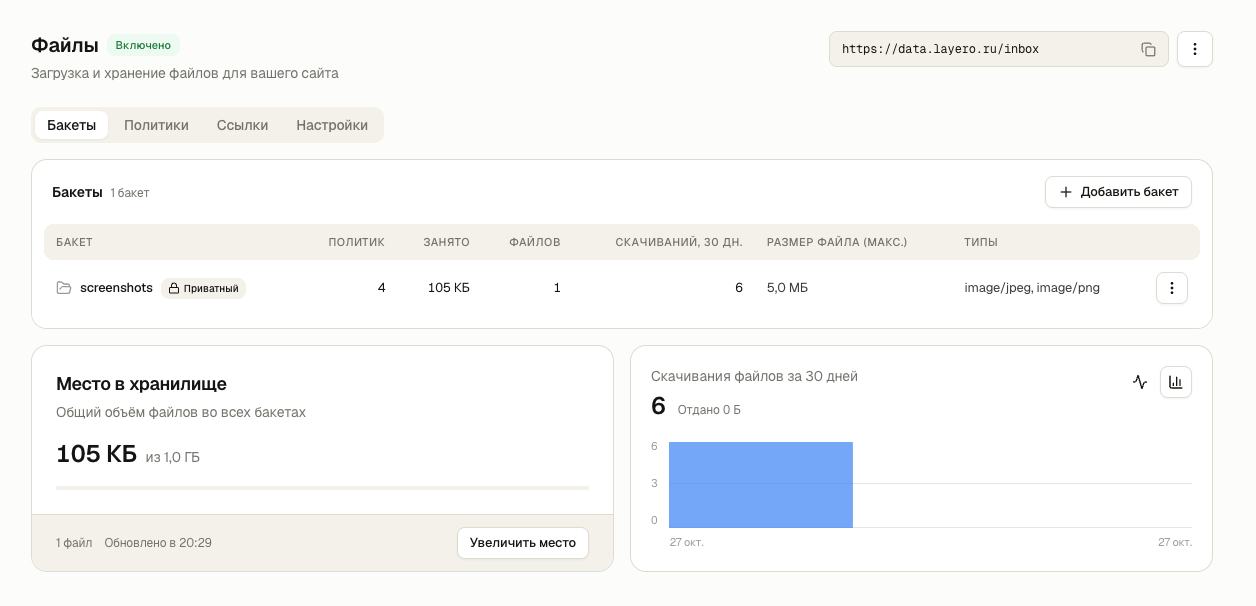
Files — storage alongside your database
Store images and documents in public or private buckets. Set file types, size limits, access permissions and temporary download links.

Enable Data API for your database
Currently in beta. If you see “Coming soon”, contact support in the chat